> For the complete documentation index, see [llms.txt](https://utd-bv.gitbook.io/manual-shopify-theme-ultra/llms.txt). Markdown versions of documentation pages are available by appending `.md` to page URLs; this page is available as [Markdown](https://utd-bv.gitbook.io/manual-shopify-theme-ultra/header/announcement-bar.md).
# Announcement bar
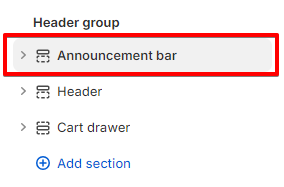
## **Adding a section**
The section is static, it is added initially and cannot be removed. This is done so that the **Announcement bar** in the **DOM** is higher than the **Header**.
## **Section settings**
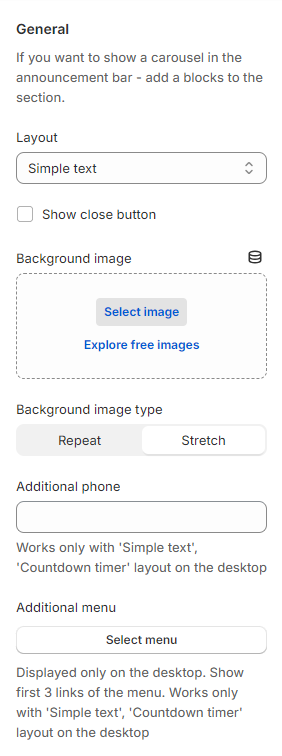
### General
1. **`Layout`** - the setting is responsible for choosing the type of display. There are three options to choose from:
* **`Simple text`** - plain text will be displayed, the settings for it are below in the **Simple text** block;
* **`Countdown timer`** - a countdown timer will be displayed, the settings for it are below in the **Countdown timer** block;
* **`Ticker`** - a text will be displayed like a ticker.
2. **`Show close button`** - the setting is responsible for displaying a cross to hide the announcement bar;
3. **`Background image`** - the setting allows you to add a background image;
4. **`Background image type`** - the setting allows you to select the type of background image display:
* **`Stretch`** - this setting will stretch the image across the width of the entire block;
* **`Repeat`** - this setting will make the picture repeat, the number of repetitions depends on the width of the picture.
5. **`Additional phone`** - the setting is responsible for displaying social icons;
6. **`Additional menu`** - the setting is responsible for displaying links.
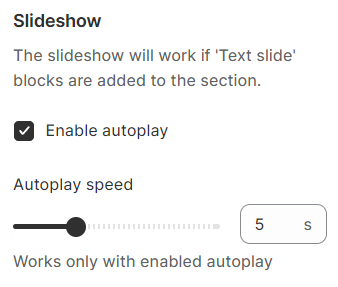
### Slideshow
If you want to display a carousel in the announcement bar, please add blocks to the section.
1. **`Enable autoplay`** - the setting allows you to enable autoplay for the carousel;
2. **`Autoplay speed`** - the setting allows you to change the autoplay speed of the carousel.
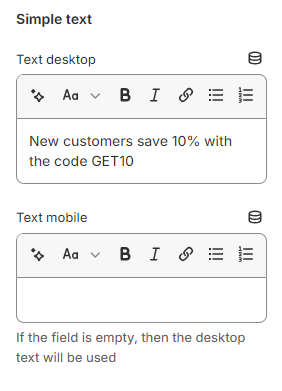
### Simple text
1. **`Text desktop`** - the setting allows you to set the text content for **Desktop**;
2. **`Text mobile`** - the setting allows you to set the text content for **Mobile**. If the content is empty, the content will be taken from the **Desktop** version.
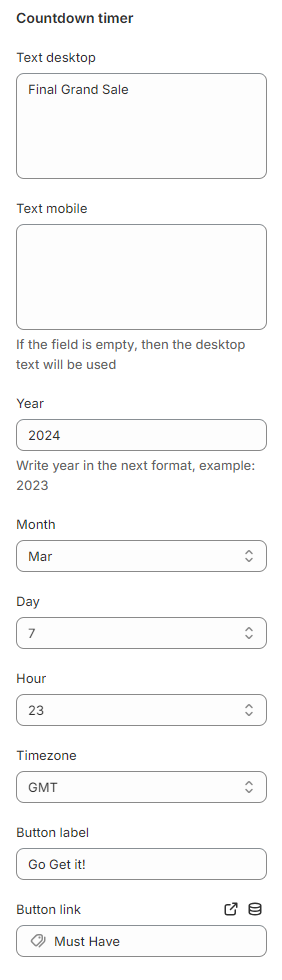
### Countdown timer
1. **`Text desktop`** - the setting allows you to set the text content for **Desktop**;
2. **`Text mobile`** - the setting allows you to set the text content for **Mobile**. If the content is empty, the content will be taken from the **Desktop** version.
3. **`Year`** - the setting allows you to set the years until the end of the countdown;
4. **`Month`** - the setting allows you to set the months until the end of the countdown;
5. **`Day`** - the setting allows you to set the days until the end of the countdown;
6. **`Hour`** - the setting allows you to set the hours until the end of the countdown;
7. **`Timezone`** - the setting allows you to set the Timezone of the countdown;
8. **`Button label`** - the setting allows you to set the button label;
9. **`Button link`** - the setting allows you to set the button link.
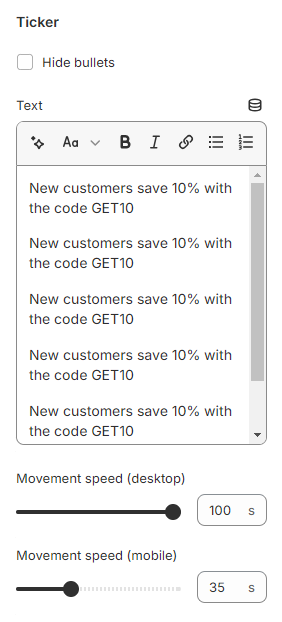
### Ticker
1. **`Hide bullets`** - the setting allows you to hide bullets between sentences;
2. **`Text`** - the setting allows you to set the text of the ticker;
3. **`Movement speed (desktop)`** - the setting allows you to set the ticker animation speed on the **desktop**;
4. **`Movement speed (mobile)`** - the setting allows you to set the ticker animation speed on the **mobile**.
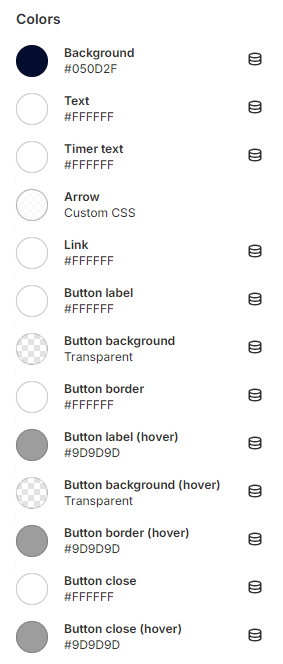
### Colors
1. **`Background`** - the setting allows you to set the section background color;
2. **`Text`** - the setting allows you to set the text color;
3. **`Timer text`** - the setting allows you to set the timer text color;
4. **`Arrow`** - the setting allows you to set the arrow color;
5. **`Link`** - the setting allows you to set the link color;
6. **`Button label`** - the setting allows you to set the button label color;
7. **`Button background`** - the setting allows you to set the button background color;
8. **`Button border`** - the setting allows you to set the button border color;
9. **`Button label (hover)`** - the setting allows you to set the button label color on hover;
10. **`Button background (hover)`** - the setting allows you to set the button background color on hover;
11. **`Button border (hover)`** - the setting allows you to set the button border color on hover;
12. **`Button close`** - the setting allows you to set the color of the close button;
13. **`Button close (hover)`** - the setting allows you to set the color of the close button on hover;
14. **`Social icon`** - the setting allows you to set the color of the social icons;
15. **`Social icon (hover)`** - the setting allows you to set the color of the social icons on hover.
## **Block settings**
### Block Announcement
You can add a block Announcement, to the section. If blocks are added, then a carousel will be shown.
The content of the carousel slides can be a **Simple text** or a **Countdown timer**.
The settings of the **Simple text** and the **Countdown timer** are the same as in the general settings.
## Additional Information
1. When closing the **Announcement bar**, it is hidden and will be shown only if you close the tabs and open the store again.
2. The closing data is added to the **Session Storage** with the name - **showAnnouncementBar**.
3. If you set an incorrect date, the timer will not start and will remain with zero values.
4. When the timer expires, zero values remain.